
Research Sandbox
Run AI agents in containers on your own machine, from the browser: a research lab, a long-lived researcher, coding agents on your repositories, notes and literature tools.
Each project is one sealed container with its own network and egress rules, and none of your machine’s credentials.
Install · Workflows · Boxes · Dev lane · MCP servers · Security
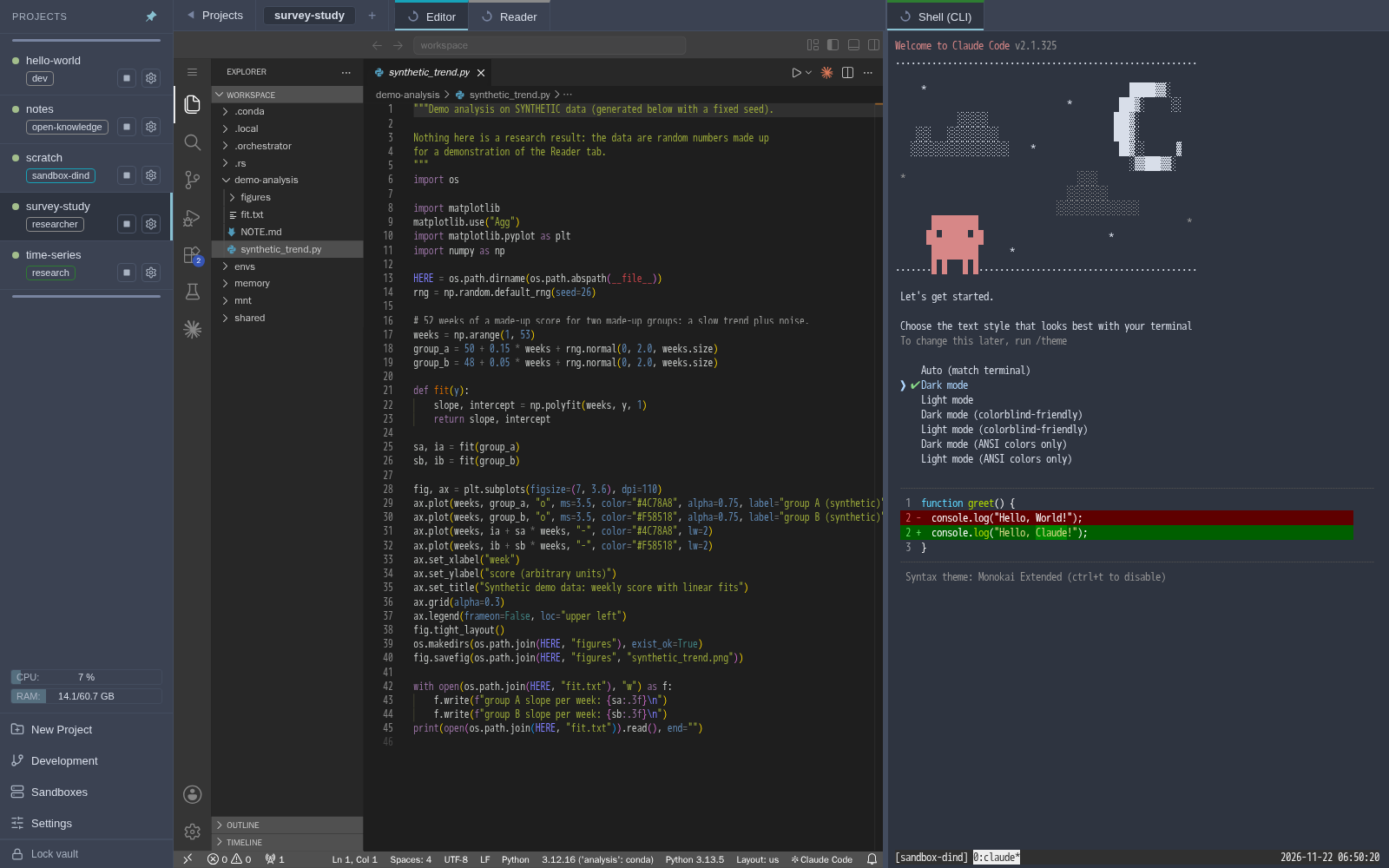
What it does
- Projects: one container per project, with its own agent, workspace and network. Create, start, stop and destroy them in the browser; destroying a project removes everything it ran.
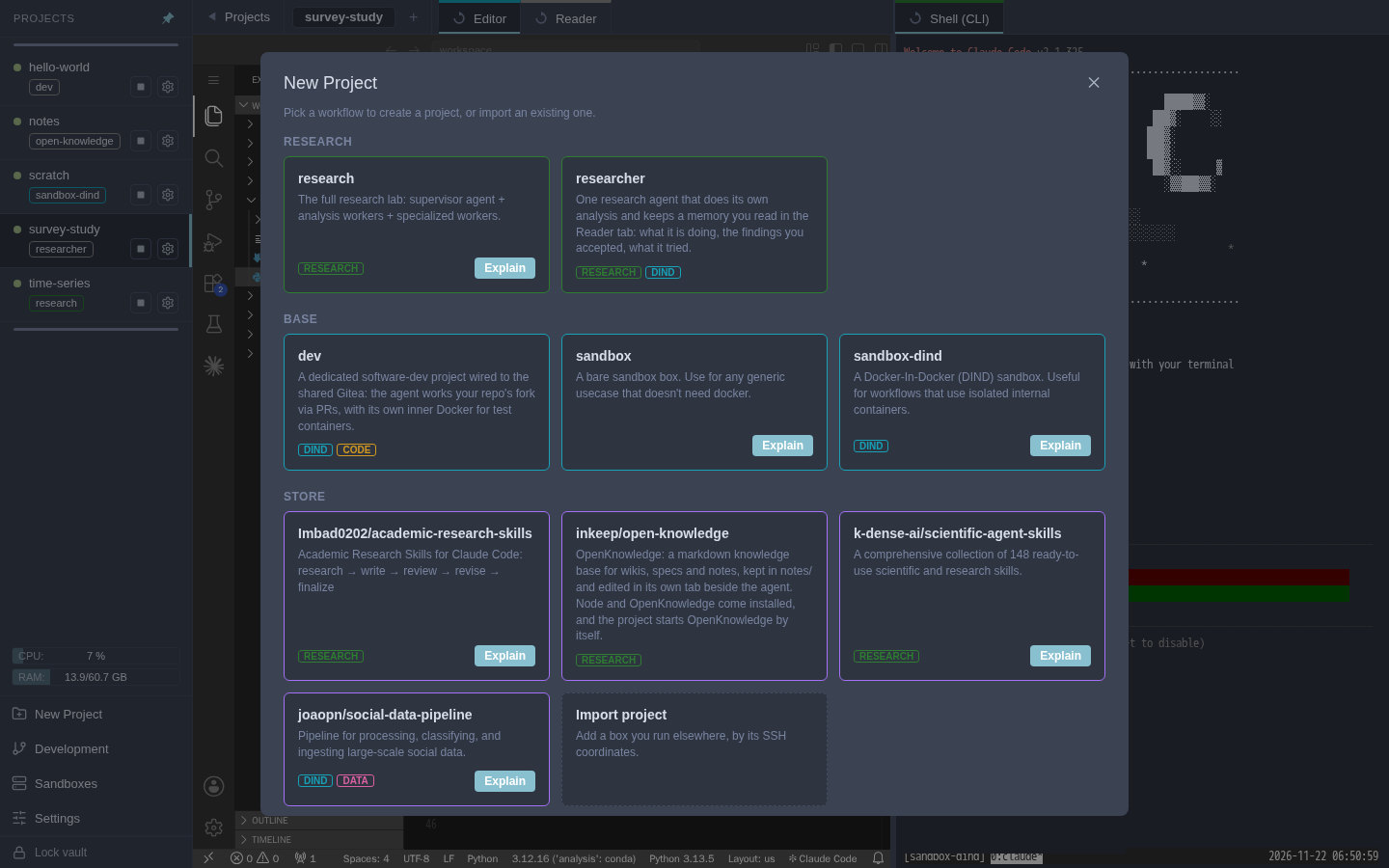
- Workflows: choose what a project is when you create it: a research lab, one researcher with a memory, a coding agent on a GitHub repository, an OpenKnowledge notes base, a bare sandbox, or a curated repository from the store.
- Agents: Claude Code and pi, side by side and treated alike. Each signs in inside its project.
- Boxes: extra containers inside an inner-Docker project: a web browser, a Zotero library, a notes base, a second agent on its own fork. Up to 12, added and removed while the project runs.
- Dev lane: agents work your GitHub repositories through a private Gitea, one fork per agent, by pull request. You review and carry the work to GitHub; no agent holds a GitHub credential.
- MCP servers: add a server once, test it, and choose which project agents (not a research project’s own) and boxes may use it.
- Browser: terminals, a VS Code editor, a file reader and each project’s web apps, in tabs. The sidebar shows which agents are working and can alert you when one waits for you. Terminals work on a phone.
- Containment: all traffic leaves through a router, open or locked to web ports, and private addresses are blocked; two host firewall rules you apply yourself close the paths around it. Data folders are mounted read-only.
Install
You need Docker 29 or newer with Compose 2.33.1 or newer, Python 3.9 or newer, and a Claude account or an API key for pi (OpenRouter or another provider). On Linux, install Sysbox for projects that run their own Docker; without it RS runs them privileged, which isolates them less.
git clone https://github.com/joaopn/research-sandbox && cd research-sandbox
python research.py start            # builds the images, starts the router
python research.py broker passwd    # sets the master password, once
python research.py broker start
python research.py webui start
Open https://localhost:7777, accept the self-signed certificate, and set the same master password in the browser.
Put datasets in data/ inside the clone. A project’s Add folders picks folders there and mounts them read-only:
research-sandbox/
├── data/                 your datasets, mounted read-only into projects
└── container_volumes/    one workspace folder per project, created by RS
To keep settings, put them in a .env file next to research.py:
| Variable | Default | |
|---|---|---|
PROJECTS_DIR |
./container_volumes/ |
where project workspaces live |
WEBUI_BIND, WEBUI_PORT |
127.0.0.1, 7777 |
address of the web interface; a LAN or tailnet address reaches it from elsewhere (read Security first) |
SANDBOX_DNS |
9.9.9.9,149.112.112.112 |
the resolvers a locked project may use |
Update: git pull, then the steps in After updating.
How it works
1. Create a project. New Project shows the workflow cards. Pick one, name it, add data folders, Create.
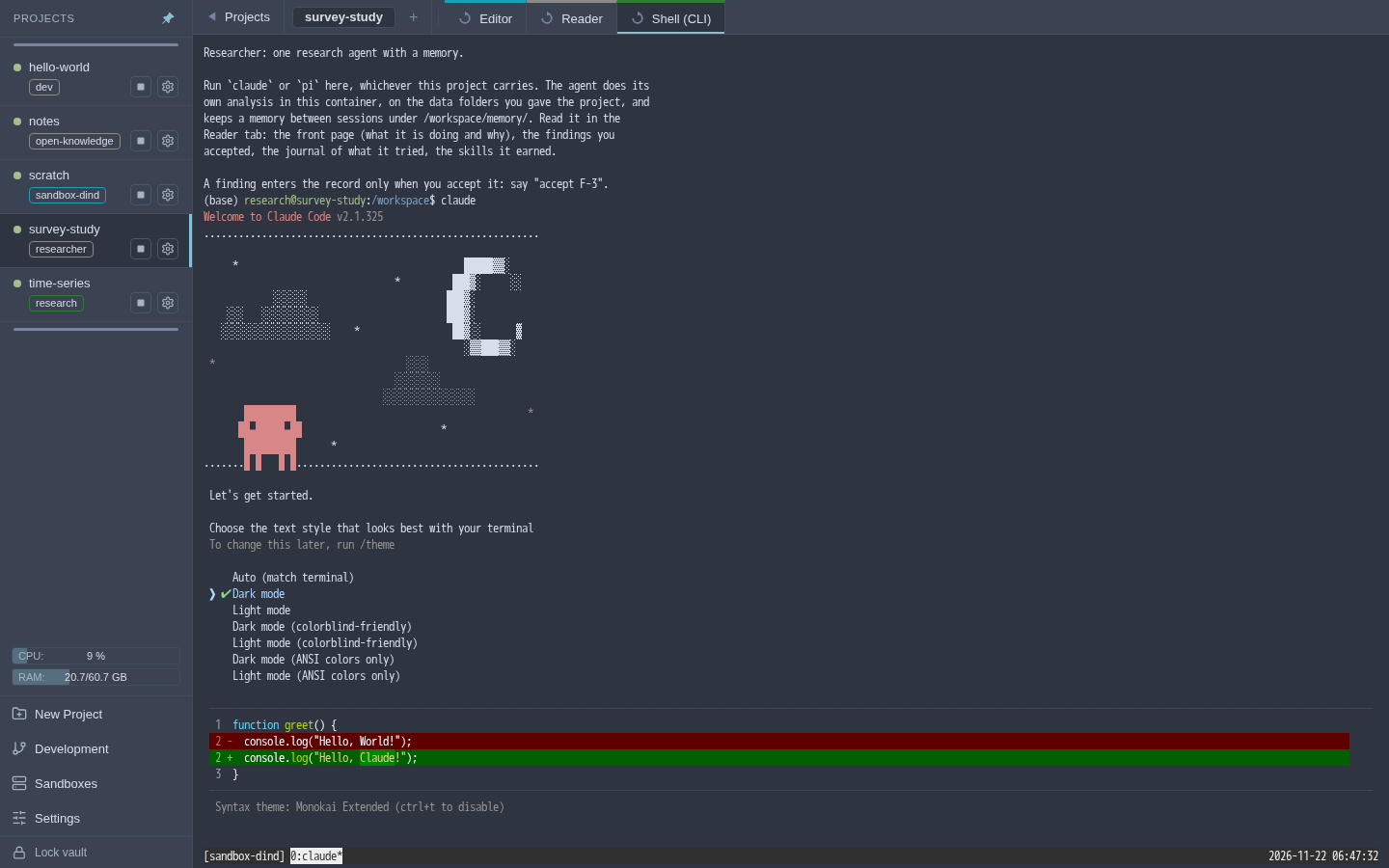
2. Sign in. In the project’s terminal tab, run claude or pi and /login. The login stays with the project.
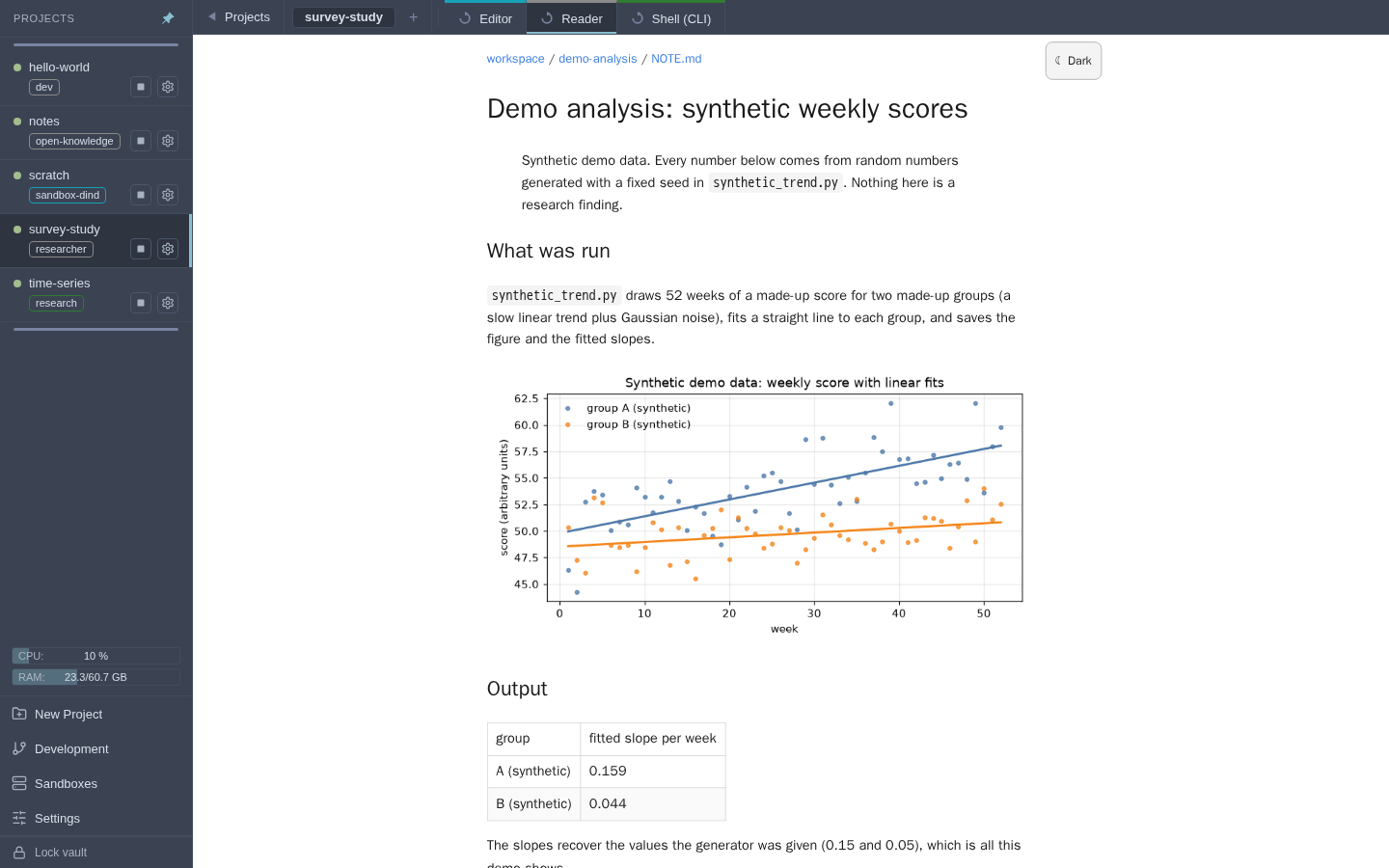
3. Work. Talk to the agent in the terminal or the editor. On an inner-Docker project, tick Reader under Extensions at create (always on for researcher) to read what it wrote: notebooks, figures, its memory.
4. Add boxes. On an inner-Docker project, the + on the tab strip adds a box: pick a type, an agent, the folders and tools it may see.
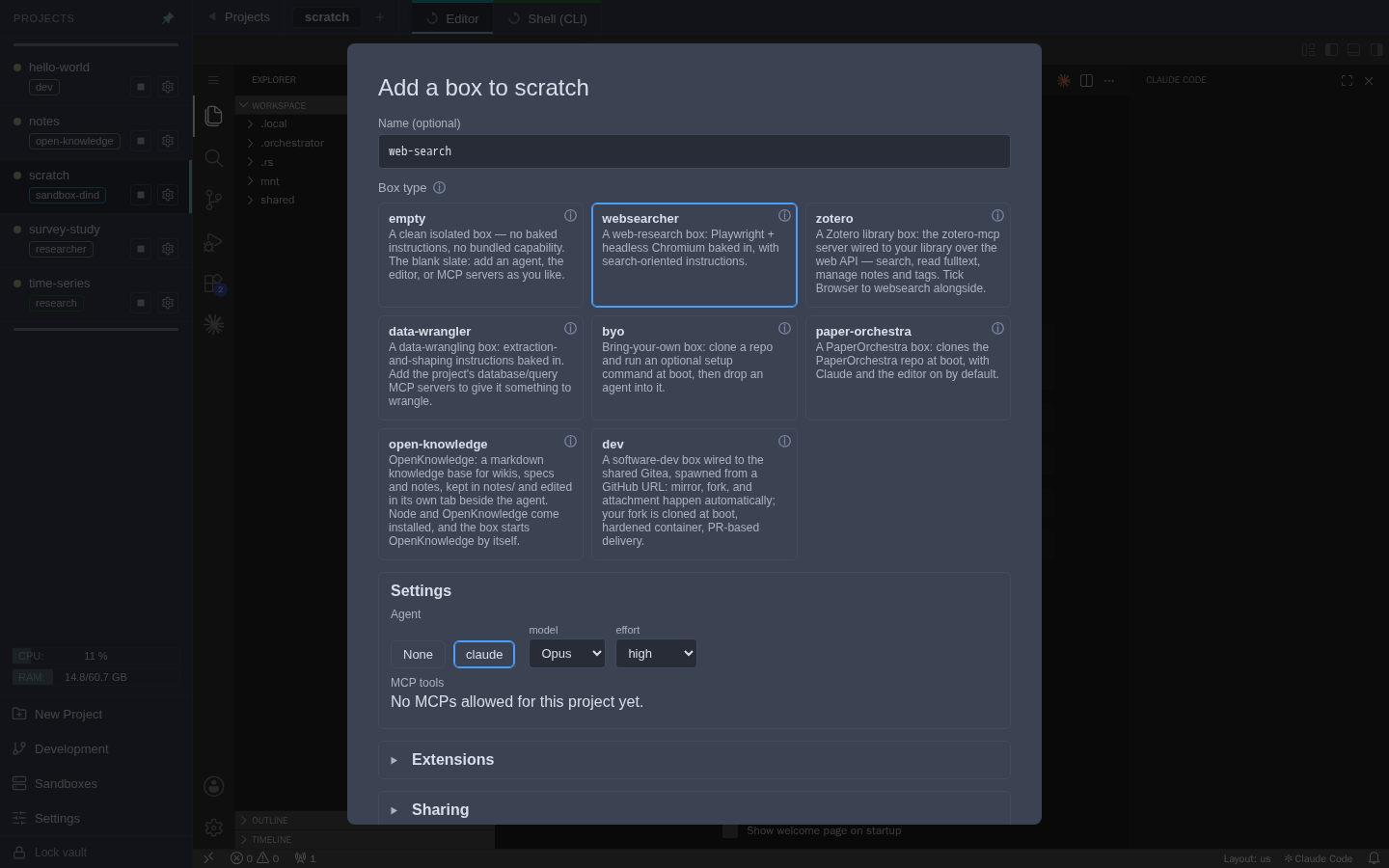
5. Wire tools. Sandboxes → MCP: add a server, Test, then pick a project, its agent or a box, tick the servers and Save.
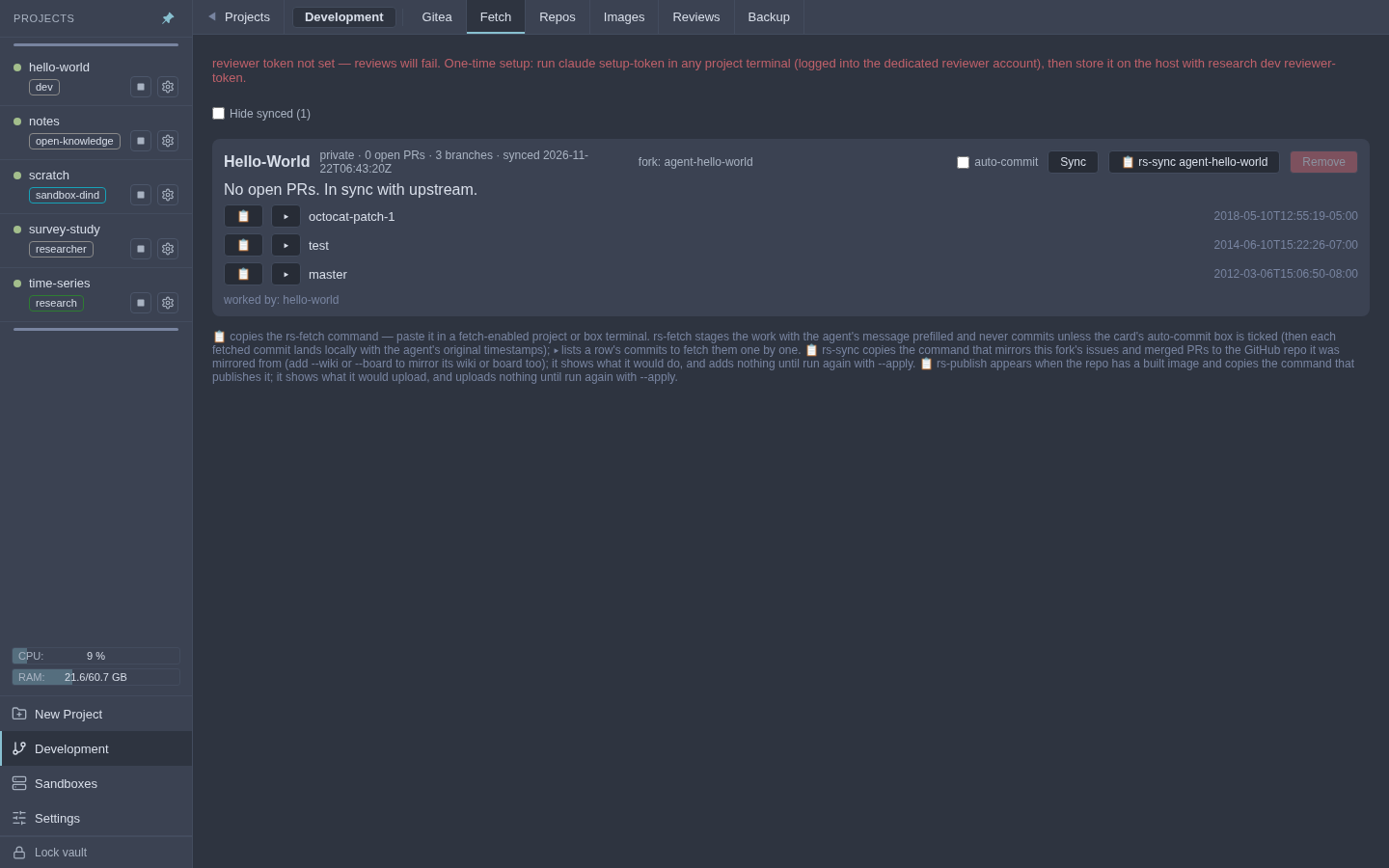
6. Hand over code. Turn on Gitea under Sandboxes → Infrastructure, then create a dev project with a GitHub URL. Its agent works the repository by pull request. To collect the work, create a second, non-dev project with rs-fetch ticked: the Development page’s Fetch tab copies the command that pulls it into a clone there.
Everything also runs from the command line: CLI reference.
Workflows
Chosen in the New Project window. Inner-Docker projects can hold boxes and containers of their own.
9 workflows
| Workflow | Container | Agents | What you get |
|---|---|---|---|
research |
inner Docker | Claude | A supervisor that plans with you, runs each analysis in a worker container, reviews it, and logs the session |
researcher |
inner Docker | Claude, pi | One agent on one line of inquiry for weeks, with a memory you read in the Reader tab; findings enter the record when you accept them |
dev |
inner Docker | Claude, pi | An agent on one GitHub repository’s fork, with working modes and its own Docker for tests |
sandbox-dind |
inner Docker | Claude, pi | A confined agent with its own Docker and boxes |
sandbox |
single | Claude, pi | A bare confined container: terminal and editor |
open-knowledge |
single | Claude, pi | An OpenKnowledge notes base in its own tab, its history optionally kept on Gitea |
social-data-pipeline |
inner Docker | Claude, pi | A pipeline for processing and classifying large-scale social data |
academic-research-skills |
single | Claude, pi | Research-writing skills: research, write, review, revise |
scientific-agent-skills |
single | Claude, pi | A large collection of scientific and research skills |
research always runs Claude; dev and researcher need at least one agent; the others may have none.
Box types
8 box types
| Type | What it is |
|---|---|
empty |
A blank box |
byo |
Clones a repository and runs a setup command |
dev |
Works a GitHub repository through its own fork |
websearcher |
Web research with Playwright and headless Chromium |
zotero |
Your Zotero library through its MCP server |
open-knowledge |
An OpenKnowledge notes base in its own tab |
paper-orchestra |
The PaperOrchestra repository, cloned at boot |
data-wrangler |
Schemas, queries and extracts through the project’s database servers |
More types can be registered on the host; see Boxes.
Built on
| Used for | |
|---|---|
| Docker and Sysbox | project containers, Docker inside them |
| Claude Code and pi | the agents |
| code-server | the editor tab |
| Gitea | mirrors, forks and pull requests of the dev lane |
| xterm.js and byobu | the terminal tabs |
| Playwright | the browser in websearcher boxes |
| OpenKnowledge | the notes workflow and box |
License
AGPL-3.0.