Profiles and the machine
What gaggiclanker writes to the machine, and who starts it
How this works: Machine safety.
Nothing, until the Writes switch in the top bar is on. It is off by default, turning it on asks first, and turning it off is immediate. With it on, the only thing this box writes to the machine is a profile. It never deletes a shot, never writes a judgement to a notes card and never changes a device setting.
While the switch is on, the top bar also shows Flush (runs the machine’s own flush) and Switch to Brew (Switch to Standby in brew mode). Both are refused while a shot is running.
Nothing an agent does reaches the machine: a profile it proposes waits for you as a card. Nothing runs on its own, and there is no timer. Every write attempt is listed under Recent writes on the Device page.
The profile list
How this works: Profile sync.
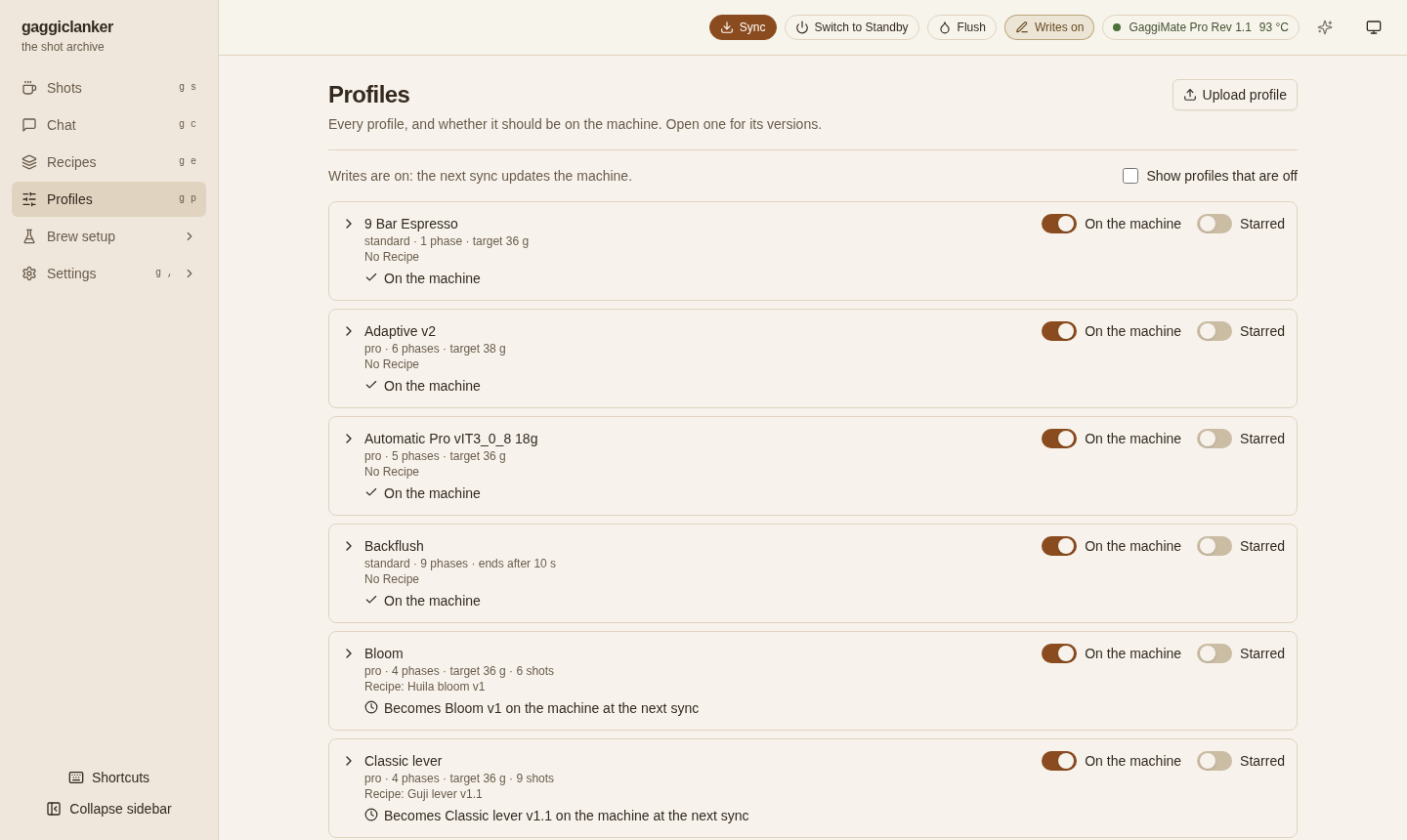
With Writes on, every sync ends by making the machine hold exactly the profiles marked On the machine. The first sync with the switch on only reads them into the list. From then on a sync does this:
- On: saves the active version over the profile’s own file. A profile with no file gets one.
- Off: removes the file, firmware and display-made profiles included, but never the backflush and descale.
- Starred: set for profiles that are on, at most ten.
- A file the app has not seen joins the list, on, untouched.
- If the machine looks reset, syncs stop writing and the page asks once whether to put the profiles back.
A file changed on the display is never overwritten silently. It becomes a conflict until you choose Keep the app’s (the next sync saves its version over the file) or Keep the machine’s (its content becomes the active version).
No two profiles share a name. Rename on an open profile sends the new name at the next sync with Writes on, and a name changed at the machine is taken at the next sync. Renaming on both sides, or to another profile’s name, shows a conflict on the row: Keep one.
Putting a profile on the machine
How this works: Profile sync.
A profile reaches the machine only by being on in the list with an active version.
To copy a profile:
- Press Duplicate Profile on a version.
- Fill in Name. A name already in use is refused.
- Edit the JSON if you like. It is checked as you type.
- Press Save. The profile joins the list switched on, so the next sync with Writes on puts it on the machine.
A change to an existing profile arrives as a proposal, from the chat or the starting-point wizard. It waits as a proposal card inside its profile (marked Proposed), or as a row marked New for a new profile, which also has a Name field. The card shows the change, its curve beside the active version’s, and a warning if it moves when the machine stops pumping.
| Button | What it does |
|---|---|
| Approve and sync | Makes the proposal the profile’s active version, switched on. For a Recipe’s profile it also records the Recipe’s next version (with its Major change box) in the same step. Then it starts a sync. |
| Approve (Writes off) | The same approval. The profile goes to the machine at the first sync after you turn Writes on. |
| Decline | Records nothing. |
Neither Approve button selects the profile on the machine.
Any older version can be made active from the profile’s dropdown. There is no Delete: switching a profile off removes it at the next sync, and its versions stay.
Upload profile in the Profiles header adds an exported file to the list, switched off.